A pallet display can look impressive in a mockup and still create trouble on the store floor. The real test is simple. Can store staff set it up fast, load it correctly, and keep it looking strong without extra effort?
From a cardboard display supplier perspective, easy setup is not a small detail. It is part of retail performance. If a pallet display takes too long to build, feels unstable during loading, or confuses store staff at the first step, the display starts losing value before the first shopper even sees it.
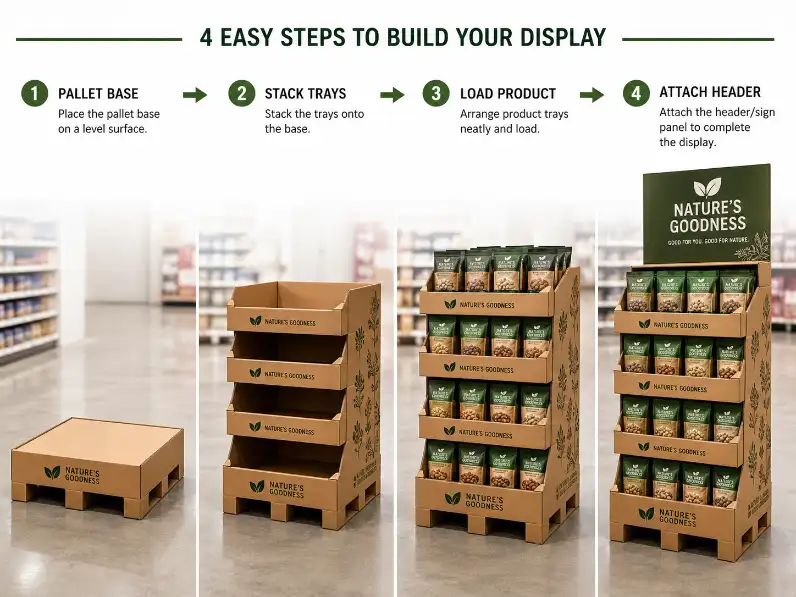
Start With This Question: What Does “Easy to Set Up” Mean in a Real Store?
It does not mean the display looks simple in a design file. It means a store employee can understand the setup sequence quickly, form the base correctly, place the trays in order, load the products without fighting the structure, and leave the unit looking right on the first try.
That matters. In most retail environments, setup time is limited. Staff are not treating the display like a design project. They are trying to get the unit onto the floor, make it safe, make it look full, and move on to the next task.
This is why the best pallet display setup usually feels obvious. The structure should guide the process. The employee should not need to guess what comes next.
If you want the broader product context first, our cardboard display category and pallet display page are the right starting points before you judge setup quality.
A Good Pallet Display Setup Usually Starts With Fewer Decisions
The easiest pallet displays to set up usually share the same trait. They ask staff to make fewer decisions. The fold direction is clear. The tray sequence is clear. The header position is clear. The product block builds up in a predictable order.
This is where many weak designs lose time. They may look attractive in a rendering, but the setup sequence depends on too much interpretation. One tray fits two ways. One support piece feels optional. One header panel is not obvious until the unit is half-built. That is how mistakes begin.
In our experience, the strongest pallet display projects reduce uncertainty at every step. That does not always mean the structure is simple. It means the setup logic is disciplined.
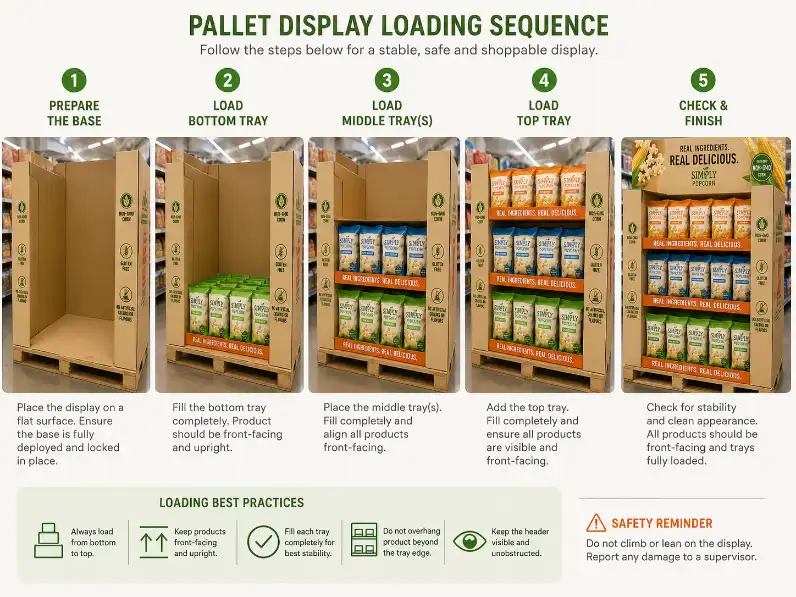
Why Base Stability Comes First
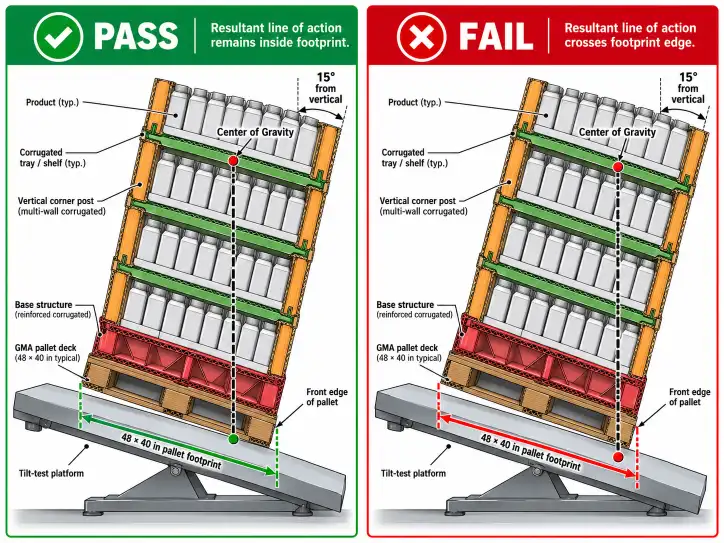
Most setup problems start at the bottom, not at the top. If the base feels weak or unclear during assembly, everything above it becomes slower. Store staff become more cautious. Loading gets uneven. The finished display can start leaning before the product is even fully stocked.
A strong pallet display should form a stable working platform early in the setup process. The base should not feel temporary until the final step. It should feel trustworthy while the rest of the display is being built.
This is especially important for beverage packs, pet products, household items, and other categories where the load adds up quickly. A display that only feels stable after full loading is already asking too much from store staff.
If you are checking structural support at the same time, our corrugated grades guide helps explain why board and structure need to be judged together.
Tray Logic Should Match the Way Staff Load Product
Easy setup is not only about building the empty unit. It is also about loading the first product cases smoothly. That is where tray logic becomes important.
Good tray design supports a clean sequence. The lower levels should feel stable before the upper levels are loaded. The tray fronts should help staff see the intended pack alignment. The product rows should build up in a way that feels natural, not awkward.
This is where some pallet display designs become slower than they need to be. A tray may technically fit the product, but if it does not help the staff member understand how the product block should look, the setup becomes a series of small corrections. That costs time. It also weakens the final presentation.
For a real rollout, the best tray logic usually answers three questions fast: where does this case go, how should the facing look, and what should the finished block look like from the aisle?
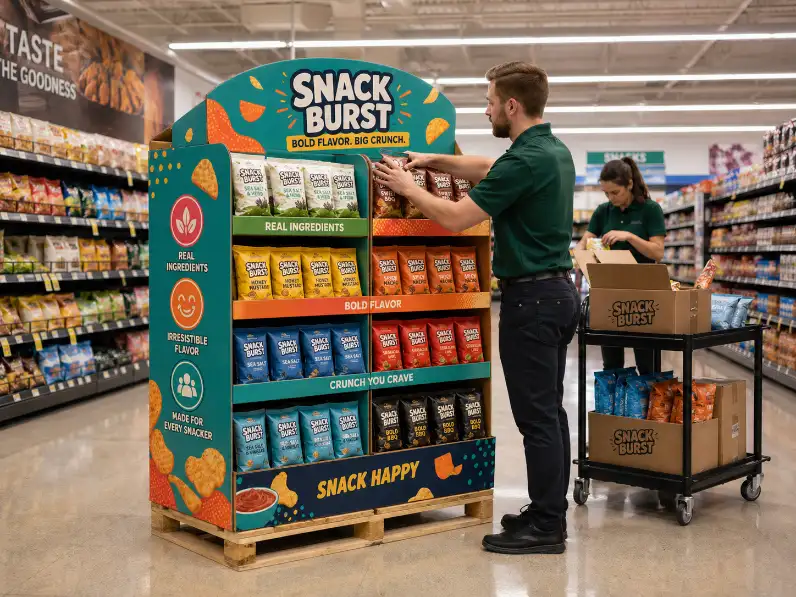
The Display Should Stay Stable While It Is Only Partly Built
This is one of the most overlooked setup checks. Buyers often judge a pallet display once it is complete. That is too late. A better question is how the display behaves halfway through the setup process.
Does it wobble when only one side is loaded first? Does the header feel too loose before the upper trays are locked in? Do the stack levels stay aligned while the last cartons are still being unpacked? These are setup questions, not beauty questions.
A well-designed pallet display should feel manageable during assembly, not only after assembly. In busy stores, that difference decides whether the unit is built confidently or cautiously. Confident setup is faster. Cautious setup is slower and usually less consistent across store teams.
Easy Setup Depends on Product Fit More Than Buyers Expect
A pallet display can only be easy to set up if the products themselves cooperate with the structure. If the product cases are too deep, too slippery, too mixed in size, or too hard to align in clean rows, the setup slows down immediately.
This is why pallet display setup should never be judged without the real products or realistic dummy packs. In supplier reviews, we often see a display approved because the empty structure looks clean. Then the actual cartons arrive and the product block behaves differently than expected. By then, the store team becomes the first group to discover the problem.
That is avoidable. A strong supplier should already be testing the unit with real pack dimensions, real weight, and real loading order before the project reaches mass production.
If you want the wider framework for that stage, our display sample approval guide is the right internal page to review before locking approval.

Setup Instructions Should Confirm the Logic, Not Rescue It
Instructions still matter. They should not do all the work.
The best pallet display instructions are short, visual, and used for confirmation. If the structure needs long text explanations before store staff can understand it, the setup design is usually too complicated. That is not an instruction problem. It is a structure problem.
This is why setup quality should be visible even without reading every line. A good pallet display communicates through form, tray order, and obvious locking logic. The instruction sheet simply makes that process safer and more repeatable.
Your instruction page should support the unit, not compensate for a weak design. That is the right standard.
What Buyers Should Check in a Pallet Display Setup Test
Before approval, buyers should test the setup the way a retailer will actually experience it. That means timing the process, checking whether one person can build the unit, loading the real product sequence, and watching where the setup slows down.
| Setup Check | What Good Looks Like | What Usually Causes Trouble |
|---|---|---|
| Base formation | Builds quickly and feels stable early | Weak or unclear support at the start |
| Tray sequence | Load order is obvious | Staff need to guess the assembly order |
| Product loading | Cases fit cleanly and face well | Products shift, crowd, or misalign |
| Partly built stability | Unit stays balanced before full loading | Display wobbles halfway through setup |
| Instruction support | Visual guide confirms the process | Long instructions rescue unclear design |
Those checks matter because they show whether the display is easy to set up in the real world, not only in a controlled approval room.
How a Better Supplier Usually Approaches Easy Setup
A stronger cardboard display manufacturer usually talks about setup before the buyer asks. The supplier asks how the unit will be shipped, who will build it in store, how much time store staff will have, whether the product cases come pre-sorted, and how much correction the retail team can realistically do during rollout.
That is one of the clearest supplier signals in custom display work. A supplier who thinks about setup early is usually thinking about store execution early too. That leads to fewer mistakes later.
It also leads to better quotations. A cleaner setup plan often connects directly to packing logic, sample discipline, and rollout reliability. That is why setup should never be treated as a small operational detail. It affects the commercial result.
For broader corrugated retail handling context, see the FEFCO shelf-ready packaging guidance. For general corrugated display background, the Fibre Box Association overview of corrugated is also useful.
Conclusion
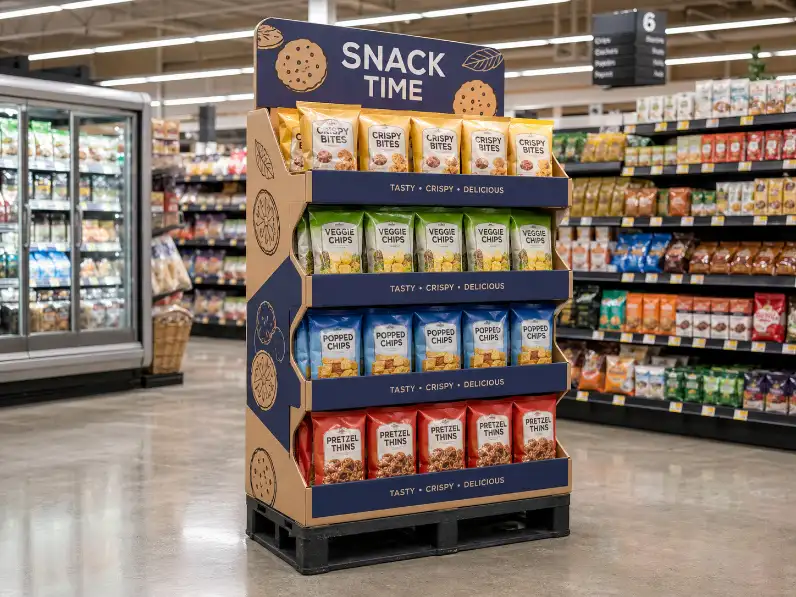
What makes a pallet display easy for retailers to set up? In most projects, the answer comes down to clear base stability, obvious tray sequence, clean product fit, stability during partial assembly, and instructions that support the structure instead of fixing it. When those setup decisions are built into the design early, the pallet display works better from the first store build onward. Test the setup like a retailer, not like a designer, and the right problems show up before rollout.
For help reviewing a pallet display setup plan, sample, or structure, please contact us.
FAQ
Why is pallet display setup important for retail performance?
Because a unit that is hard to set up often slows store execution, creates mistakes, and weakens the display before the first selling cycle begins.
What is the first thing buyers should check in a pallet display setup test?
They should check whether the base forms quickly and feels stable before the product load is added.
Should buyers test the real products during setup?
Yes. A setup test is much more useful when it includes the real product size, real weight, and real loading sequence.
Can instructions solve a weak pallet display design?
Only partly. Instructions help, but the structure itself still needs to feel clear and easy to assemble.
Why does tray sequence matter so much?
Because a tray order that feels obvious makes product loading faster and reduces setup mistakes in store.
What is a common mistake in pallet display approval?
Approving the display based on the finished look without checking how stable and easy it is to build halfway through the setup process.