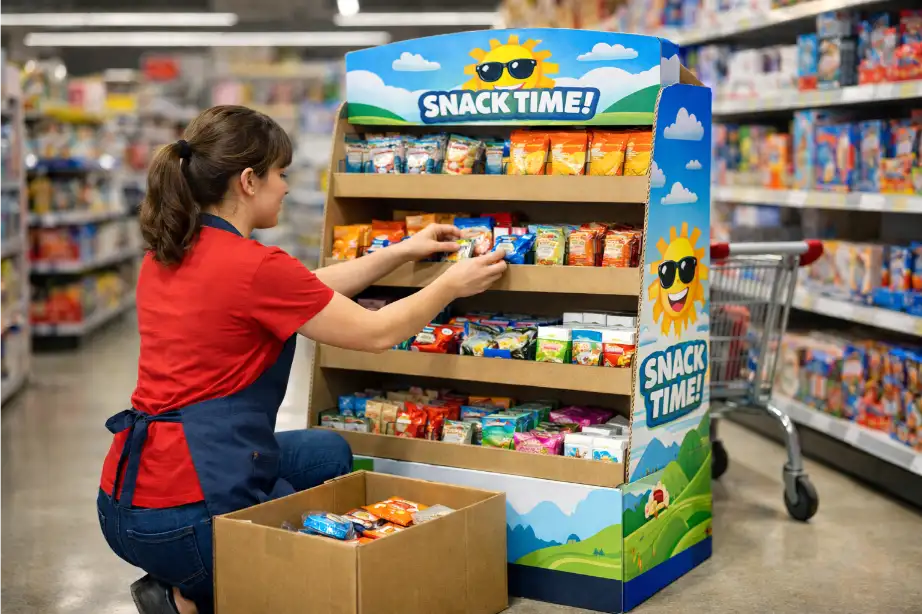
Retailers do not only judge a display by how it looks on day one. They also judge it by how easy it is to keep full, neat, and shopper-ready after the first wave of sales. A display that is difficult to refill may still look impressive in a sample review, but it quickly becomes a problem once store staff have to use it in real conditions.
That is why refill logic should be part of the design brief from the beginning. For brands, retailers, and importers, an easy to refill cardboard display usually performs better over the full campaign period because it stays cleaner, keeps products visible, and reduces store labor friction.
Why Refill Performance Matters More Than Buyers Expect
Many buyers focus first on structure strength, graphics, and cost. Those are important, but retailers often care just as much about how fast the unit can be replenished. If staff need too much time to refill the display, if products fall forward, or if empty facings appear too quickly, the display starts losing selling power even when the design itself is attractive.
An easy-to-refill display usually protects three things at once:
- better shelf appearance throughout the campaign
- faster in-store handling for staff
- better shopper access after partial sell-through
The Real Test: Can Staff Refill It in One Smooth Movement?
A good refill-friendly display usually allows staff to understand the structure quickly, reach the stock easily, and place products back without damaging the layout. If the process feels awkward, the design is already telling you something important.
This is why refill performance should be judged by movement, not only by static appearance. If store staff need to fight with the shelf depth, move too many products around, or rebuild the visual order every time they refill, the display is not doing its job well.
Refill Scorecard for Buyers
| Refill Factor | What Good Looks Like | What Usually Causes Problems |
|---|---|---|
| Shelf access | Staff can reach products easily from the correct angle | Shelves are too deep or too narrow |
| Product orientation | Products slide into place neatly | Products lean, overlap, or catch on edges |
| SKU separation | Each product type stays clearly grouped | Variants mix together during refill |
| Stock capacity | Enough stock to reduce constant replenishment | Display empties too fast |
| Visual recovery | The display still looks tidy after partial refill | The front-facing presentation breaks down quickly |
Rule 1: Shelf Depth Should Match Hand Movement, Not Just Product Size
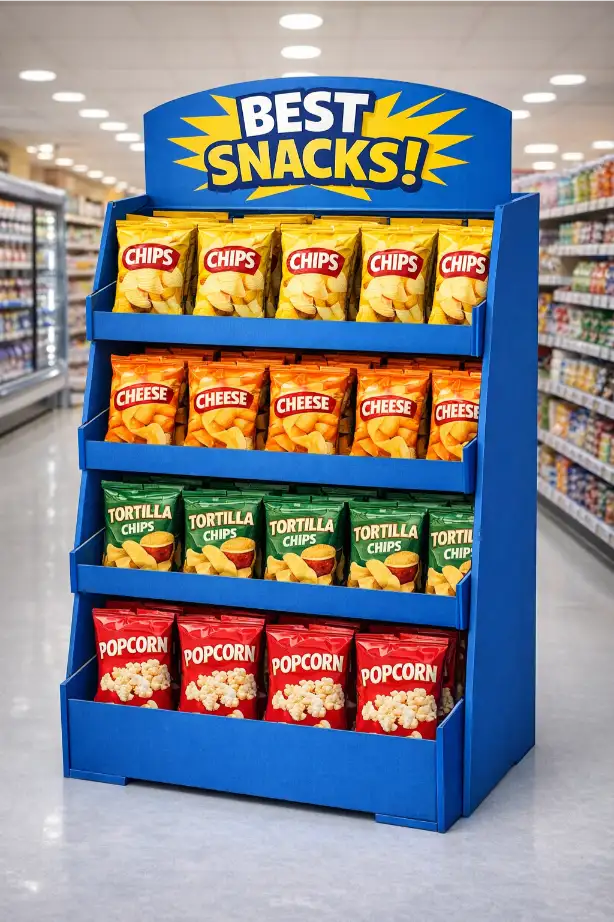
One of the most common refill mistakes is making shelf depth based only on how much stock buyers want to hold. Deeper shelves may seem efficient in theory, but if staff cannot reach products cleanly or if stock sits too far back, the display becomes slower to manage. The right shelf depth should support both product capacity and practical hand access.
This matters especially in snack displays, cosmetics, personal care, and household products where retailers refill quickly and repeatedly.
Rule 2: Refill-Friendly Displays Usually Limit SKU Confusion
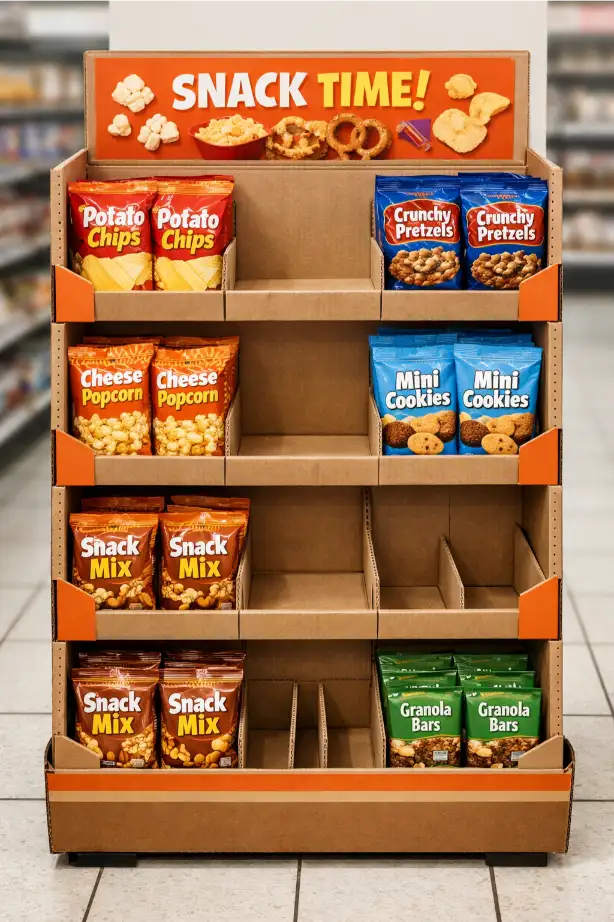
Displays become harder to refill when too many similar-looking SKUs are packed into one unit. Store staff may put the wrong item in the wrong lane, shoppers may mix variants, and the front of the display can lose order quickly.
This is why refill logic is closely connected to SKU planning. A display that is visually simple is usually easier to maintain. If you are making assortment decisions now, our article on how many SKUs one display should hold is a useful next read.
Rule 3: Refill Speed Improves When the Product Faces Naturally
Good displays allow products to return to the correct front-facing position with minimal adjustment. If the items twist, fall sideways, overlap, or disappear visually after a few sales, the refill process becomes slower because staff have to “correct” the display every time they touch it.
For buyers, that means product-facing behavior should be tested in the sample stage, not assumed from a flat drawing. If your team is reviewing samples, our article on what a cardboard display sample should prove can help you evaluate this more professionally.
Rule 4: The Best Refill Design Often Looks Simple
Refill-friendly displays are usually not the most complicated-looking ones. They tend to use cleaner shelf geometry, clearer lane separation, and fewer unnecessary structural obstacles. In other words, the display works because it is easy to use, not because it is trying to show too much creativity in every part.
This does not mean the display should look plain. It means the design should support retail behavior instead of fighting it.
Rule 5: Good Refill Design Helps the Display Stay Sellable Longer
A display that refills well usually keeps its sales performance longer because it continues to look shop-ready. Shoppers still see clean facings, the brand remains visible, and the products do not look picked over too early. In this way, refill design is not only an operations issue. It is also a selling issue.
That is one reason retail-ready and shelf-ready logic often emphasizes both easy replenishment and easy shopper access. These are not separate ideas. They support the same commercial goal. ([fefco.org](https://www.fefco.org/benefits-corrugated/meet-business-requirements/shelf-ready-packaging?utm_source=chatgpt.com))
What Buyers Should Check During Sampling
- Can one person refill the display quickly?
- Do products return to a neat front-facing position easily?
- Are the SKU lanes still clear after partial sell-through?
- Does the display remain stable while staff refill it?
- Is the stock capacity realistic for the campaign speed?
- Does the display still look clean after two or three refill cycles?
If the answer is weak on several of these points, the design should be improved before production. This often saves more money than it costs. If you are balancing refill performance with budget, our cost guide and pre-production testing guide can support that review.
Useful External References
FEFCO’s shelf-ready guidance is especially useful here because it directly emphasizes easy identification, easy opening, easy shelf placement, easy shopper access, and easy disposal. See FEFCO Shelf Ready Packaging. For broader corrugated background, the Fibre Box Association overview of corrugated is also helpful, especially around transport and in-store graphics value.
Conclusion
What makes a cardboard display easy for retailers to refill? In most cases, it comes down to shelf access, clear SKU organization, practical stock depth, stable product facing, and a structure that store staff can handle without frustration. Buyers who design for refill performance usually get better retail results because the display stays cleaner and sells longer.
If you want help developing a refill-friendly display for your next project, feel free to contact us.
FAQ
Why is refill speed important for cardboard displays?
Because a display that is hard to refill often becomes messy, empties unevenly, and loses retail effectiveness before the campaign ends.
Do deeper shelves always make a display better?
No. Deeper shelves may hold more stock, but they can also slow refill and reduce product visibility if they are not designed carefully.
How does SKU count affect refill performance?
Too many similar SKUs often make the display harder to refill neatly and increase the chance of mixed or misplaced products.
What should buyers test in a refill-friendly sample?
They should test shelf access, product facing, SKU separation, refill speed, and how the display looks after partial sell-through.
Is refill design only a retailer issue?
No. Refill design also affects how clean the display looks to shoppers, so it has a direct impact on sales performance.
Can a simple display still perform well?
Yes. In many cases, simpler displays refill better and stay visually stronger throughout the campaign.