Dollar General is the largest US retailer by store count, with roughly 20,000 small-format stores that are heavily display-driven. Endcaps, PDQ trays, sidekicks, and pallet displays do much of the merchandising work in a DG store — which is why vendors who supply displays must meet DG's vendor compliance framework as strictly as its buyers approve the design. DG enforces its rules through automatic chargebacks, and the most common failures are not design problems but compliance problems: the wrong pallet, a poorly marked carton, or a label that does not match the shipment.
This guide covers the Dollar General requirements that matter when you order displays: pallet specifications, the display formats DG stores actually use, packaging and marking rules, labeling requirements, and how to avoid the chargebacks that erase margin.
Why Dollar General Is Different for Display Vendors
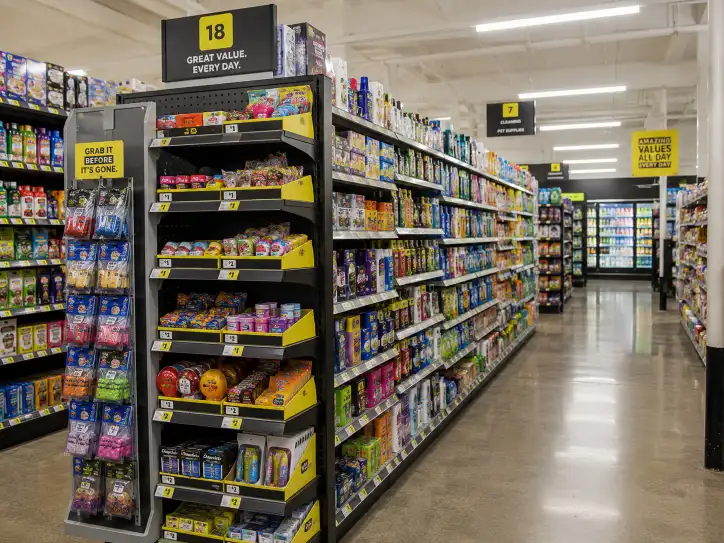
Dollar General's format is built on small stores, a limited assortment, and fast turnover. Displays are not a supplement to the shelves — they are the primary merchandising system for impulse categories, seasonal programs, and weekly features. Three facts define how DG sourcing works for display vendors:
- The store is small, so the display must be compact. DG stores have narrow aisles and a heavy endcap/power-aisle program. Displays are designed to a tight footprint, which is why PDQ trays, sidekicks, and half-pallet units are the workhorse formats rather than large floor fixtures.
- Compliance is enforced at the DC, not the store. DG's distribution centers inspect pallets and cartons against the vendor manual. A display that is buyer-approved but ships on a non-compliant pallet fails at receiving.
- Chargebacks are automatic and specific. DG assesses fixed penalties per violation — pallet non-compliance, incorrect carton information, and missed appointments all trigger deductions.
The practical implication: a DG display program is two approvals, not one. The buyer approves the design; the compliance framework approves the shipment. Both have to be met before the display reaches the sales floor.
Dollar General Pallet Requirements
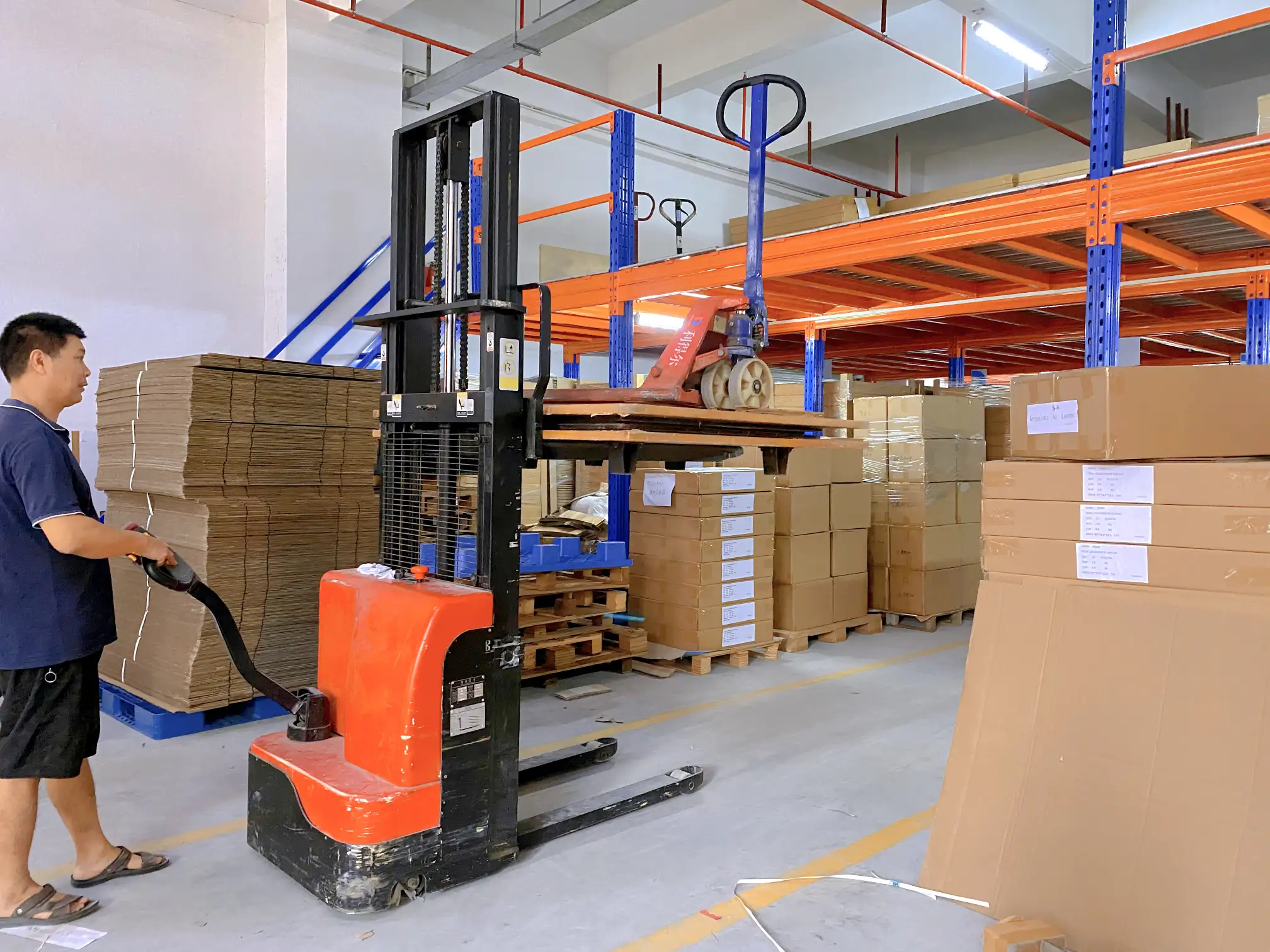
DG's pallet standard is the familiar GMA footprint, enforced with specific unitization rules:
| Requirement | Dollar General standard |
|---|---|
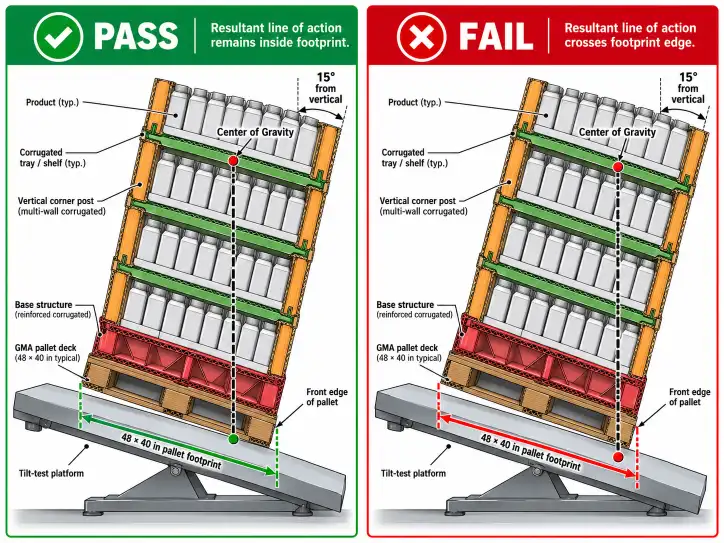
| Pallet size | GMA 48 × 40 in, in good condition |
| Load configuration | TI/HI (ties per layer × layers high) must match the purchase order |
| Unitization | Stretch-wrapped, wrap secured to the pallet |
| Stacking | Gluing cartons together to form stacks is strongly discouraged |
| Bracing | Clear shrink wrap, cardboard, pallet bands, and dunnage bags |
| SKU mixing | Mixed SKUs not permitted on one pallet without buyer authorization |
| Weight | Must stay within DG distribution center receiving limits |
The rules that most often catch vendors are the load-configuration match and the SKU rule. The TI/HI on the pallet must match the purchase order — a different layer count than ordered is a receiving failure even if the total units are correct. And every pallet should be a single SKU unless the buyer has explicitly authorized a mixed load. For the footprint context across retailers, the pallet display sizes guide shows where DG's 48 × 40 standard sits next to Costco, Walmart, and Aldi.
Display Formats That Work at Dollar General
DG stores run a defined set of display formats, and the right one depends on where the product sits in the store and how fast it is expected to sell.
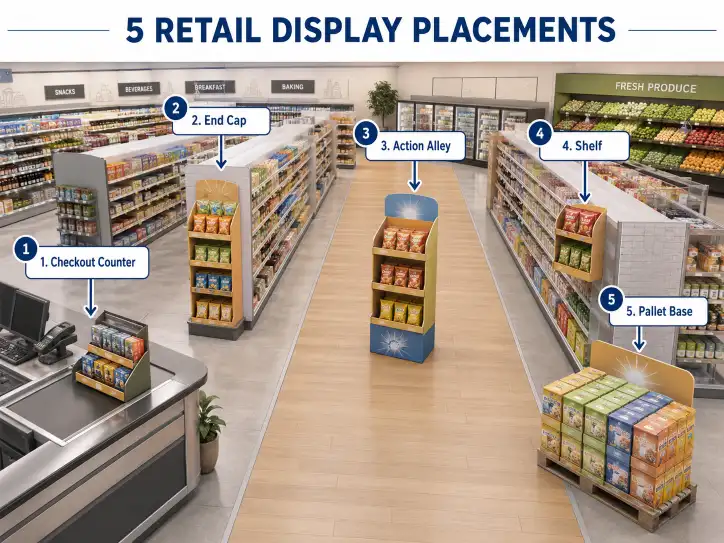
| Display format | Typical placement | Best for |
|---|---|---|
| PDQ tray | Front end, counter, shelf | Impulse items, small SKUs |
| Power wing / sidekick | Endcap, aisle side | Mid-size features, add-on sales |
| Pallet display | Power aisle, floor | High-volume features, seasonal |
| Dump bin | Endcap, floor | Bulk value, fast-movers |
| Counter display | Checkout, service desk | Small impulse purchases |
DG's emphasis on compact formats is why PDQ and sidekick displays are so common in its stores — they fit the tight footprint and the impulse model. For the design and specification side of each format, our PDQ display guide and the sidekick display guide cover the structures, and the dump bin guide covers bulk formats. Pallet displays follow the standard GMA footprint covered on the PALLET DISPLAY product page.
Packaging and Marking Rules
Dollar General's packaging rules exist to make DC handling fast and unambiguous. The requirements that apply to displays and their cartons:
| Rule | Requirement |
|---|---|
| Like SKUs only | One SKU per pallet unless authorized; no mixed loads |
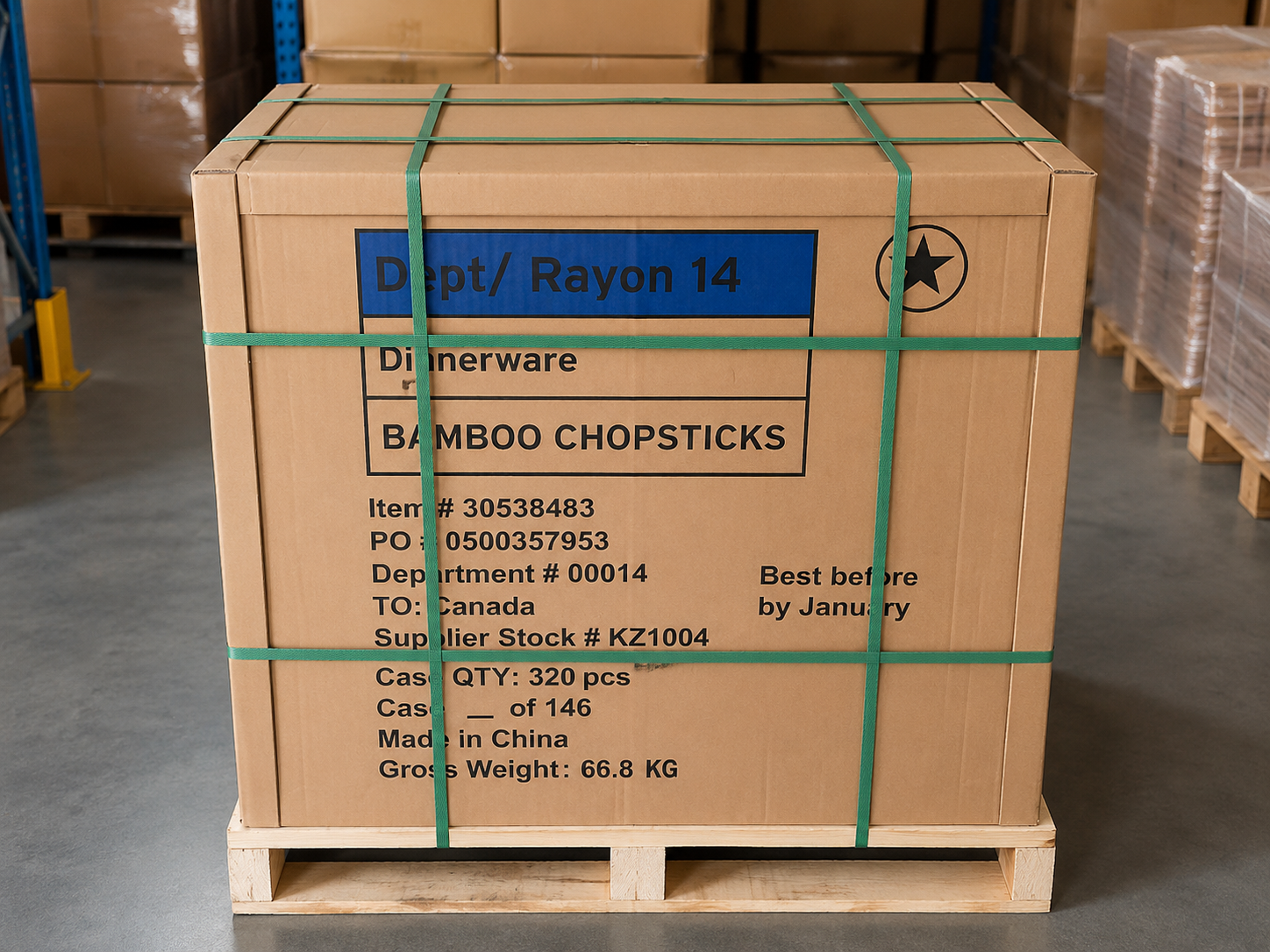
| Carton description | Item description must be listed and visible on each carton |
| Inner quantity marking | Secondary packaging must show the inner quantity (e.g., "Packaging Qty of 72" or "72/12") |
| Assortment packs | Must display the word "ASSORTMENT" plus an accurate description |
| No loose parts | Half boxes, bags, and bands are avoided as safety hazards |
| Carton condition | No loose flaps, crushed primary packaging, or poor secondary packaging |
| Open tops | Avoided; gapped flaps accepted only on a case-by-case basis |
For a display supplier, the marking rules matter because they are printed on the display cartons and the case that ships the display. A display that arrives with unmarked cartons or missing quantity indicators fails the same receiving check as a product pallet. The display's own packaging has to carry the same item description and quantity data as the merchandise — which is why the label and carton spec should be fixed before production, not after.
Labeling Requirements
Dollar General requires pallet-level GS1-128 labels on both single-SKU and mixed pallets, with specific data fields:
| Label field | Required data |
|---|---|
| SSCC | Serial shipping container code (unique per pallet) |
| Destination | Ship-to DC code |
| Purchase order | PO number for the shipment |
| Item count | Units on the pallet |
The SSCC on the physical label must match the advance ship notice (ASN) transmitted ahead of the shipment — the same GS1-128 discipline used by Walmart, Costco, and the other major chains. For the label standards that apply across retailers, the Walmart pallet display requirements and Costco pallet display requirements guides show the GS1-128 conventions DG's receiving team works with.
Chargeback Prevention
Dollar General assesses chargebacks across five categories, and each maps to a step in the display ordering process:
| Chargeback category | What triggers it | How to prevent it |
|---|---|---|
| Incorrect product | Wrong SKU, case pack, inner pack, or price | Confirm SKU and case pack in the sample approval |
| Incorrect information | Carton data, PO number, BOL, or packing list errors | Cross-check labels against the PO and ASN |
| Quality issues | Poor pallet or slip sheet, concealed damage | Inspect pallet grade and load condition before shipping |
| Supply chain performance | Wrong DC, missed appointment, call-in violations | Follow the routing guide and appointment schedule |
| Pallet non-compliance | Fixed penalty per non-compliant pallet | Confirm TI/HI, wrap, and single-SKU before dispatch |
The pattern is the same as every retailer: non-compliance costs more than the fix. Return freight for rejected goods is charged back to the vendor, plus an administrative handling fee, and damage from improper stacking is the vendor's responsibility. For a display program, the prevention is straightforward — confirm the spec in the sample, mark the cartons correctly, match the labels to the ASN, and ship on compliant pallets.
How to Order Compliant Displays for Dollar General
The most efficient path is to brief a factory with the DG compliance framework built in, so nothing has to be fixed after production:
- Confirm the display format and placement with the DG buyer — PDQ, sidekick, pallet, or dump bin — since the format sets the footprint and structure.
- Spec the pallet to DG standard — GMA 48 × 40, single SKU, stretch-wrapped, TI/HI matching the PO.
- Fix the marking spec in the artwork — item description, inner quantity, and "ASSORTMENT" where applicable, printed on the display and its cartons.
- Build the GS1-128 pallet label into the spec — SSCC, DC, PO, and count, with the ASN matching.
- Order a physical sample — load the real product, wrap it to DG spec, and verify the TI/HI and label against the PO before the bulk run. See the sampling process for what to check.
- Confirm cost and MOQ at the right volume — the pallet display cost guide gives the ranges, and the MOQ guide covers how minimums shift with the format.
Conclusion
Dollar General display requirements are two systems that must both be met: the buyer-approved design and the DC-enforced compliance framework. The display has to fit DG's compact store formats — PDQ, sidekick, pallet, or dump bin — and it has to ship on a compliant GMA 48 × 40 pallet, with correct marking, matching GS1-128 labels, and an ASN that agrees with the load. Chargebacks turn small errors into real costs, which is why the compliance spec belongs in the factory brief from the first quote, not the last inspection.
Because DG's vendor manual is updated regularly, the authoritative source is Dollar General's own supplier documentation: the Dollar General supplier compliance guide and the SPS Commerce DG packaging guidelines reflect the current framework, with GS1 covering the label standard. When you are ready to spec a DG display, send us the format, the placement, and your product dimensions — we will design the structure to DG's compact store model, spec the pallet and labels to compliance, and produce a sample you can verify before the bulk run.
FAQ
What pallet does Dollar General require?
Dollar General requires standard GMA 48 × 40 inch pallets in good condition, stretch-wrapped with the wrap secured to the pallet. Loads must be single-SKU unless the buyer authorizes a mixed pallet, and the TI/HI must match the purchase order.
What display formats does Dollar General use?
DG stores run PDQ trays, power wing and sidekick displays, pallet displays, dump bins, and counter displays. The small store format favors compact units like PDQs and sidekicks for impulse categories and pallet displays for high-volume features.
What labeling does Dollar General require on pallets?
Dollar General requires pallet-level GS1-128 labels on single and mixed pallets, carrying the SSCC, destination DC, purchase order number, and item count. The label must match the advance ship notice.
Does Dollar General charge back for non-compliance?
Yes. DG assesses chargebacks across five categories — incorrect product, incorrect information, quality issues, supply chain performance, and pallet non-compliance — with fixed penalties per violation plus rework and re-handling charges.
Can I use the same display for Dollar General and Walmart?
The display structure can often be similar, but the compliance frameworks differ — DG enforces its pallet, marking, and label rules at its own DCs, and each retailer must be checked separately. Confirm the format and compliance spec with the DG buyer before production.