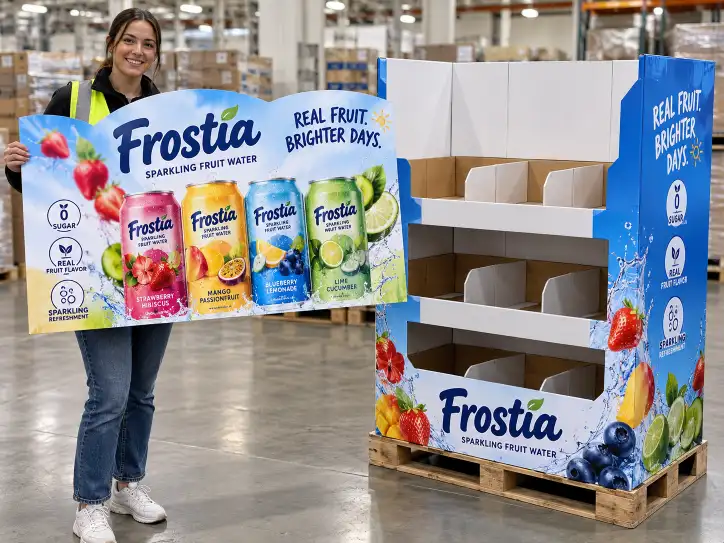
A Costco pallet display carries two kinds of information: the structural engineering that keeps it standing, and the graphics that make it sell. Costco's no-touch supply chain means the display is the shelf, the packaging, and the salesperson — so the graphics have to do the work a box and a store associate would normally do. The graphics on a Costco display are not decoration; they are part of the compliance package. A wrong GS1-128 label, a barcode that will not scan, or a brand color that misses the standard can send the display back at the receiving dock or trigger a chargeback.
This guide covers Costco display graphics requirements from the factory floor: how print methods deliver brand color, how packaging graphics standards work, what the GS1-128 pallet label must contain, and how the factory verifies graphics before mass production. It is the graphics companion to our structural engineering guide — the structure keeps the display standing, the graphics make it sell, and the labels make it acceptable.
01 What "Graphics Requirements" Mean at Costco
Costco does not publish one universal graphics standard for every display, but the expectations that recur across Costco display programs fall into four categories. Graphics are evaluated the same way structure is — against the program, the product, and the receiving dock.
| Category | What It Governs | Typical Expectation |
|---|---|---|
| Brand communication | Whether the display identifies the brand and the product instantly | Clear brand logo, product name, and key selling message on the display face |
| Packaging graphics | Whether the display surface carries proper product and handling information | Print that matches the product packaging, with correct names, claims, and imagery |
| Scan data | Whether every item on the display scans correctly at the register and the dock | Correct UPC on product packaging, correct GS1-128 label on the pallet |
| Retailer labeling | Whether the unit is identifiable in the Costco supply chain | GS1-128 pallet label, item label, and handling marks in the required format and position |
Each category maps to a different part of the graphics package. The table below links the Costco expectation to the graphics element that delivers it:
| Costco Expectation | Graphics Element |
|---|---|
| Brand identified at 20 feet | Large-format header print with high-impact brand colors |
| Product recognized on the display | Print matched to the product packaging design |
| Shelf pricing and item ID | Price/channel sign area or label zone on the display face |
| Receiving dock scan | GS1-128 pallet label on the correct side, scannable at dock height |
| Register scan on every unit | UPC printed or present on every product package |
02 Costco Packaging Graphics Standards
Costco's public packaging and handling guidance emphasizes that display-ready units must carry proper packaging graphics — the print on the display has to present the product correctly because no one at the store will relabel or re-merchandise it. For a display factory, this translates into concrete graphics requirements.
What the Display Face Must Communicate
| Element | Requirement |
|---|---|
| Product name | Must match the product exactly — no shortened, regional, or informal names |
| Brand identity | Logo, trademark, and color usage must follow the brand's packaging |
| Product imagery | Photos or illustrations must match the actual product inside the display |
| Claims and disclosures | Any on-display claim (e.g., "New," "2-Pack," "Made with X") must be accurate and approved |
| Promotional messaging | Price, value, or seasonal messaging must match the approved program art |
Why Costco Graphics Are Stricter Than Standard Retail
| Retail Channel | Typical Tolerance | Costco Expectation |
|---|---|---|
| Supermarket shelf | Store staff can restock, relabel, and correct mistakes | No-touch — the display must be right before it arrives |
| Standard FSDU | Brand sets the graphics standard, retailer accepts | Packaging graphics must match the product sold in the same club |
| Club store display | High volume, fast sell-through, minimal staff | Display graphics replace the missing product box on each facing |
The practical result: the factory prints the display graphics to match the approved product packaging artwork, not a separate "display version" unless the buyer approves one.
03 Print Methods and Brand Color Accuracy
The factory's choice of print method determines how accurately brand colors are reproduced on the display. Costco displays combine large graphic areas (headers, side panels) with fine detail (logos, small text), and the print method must deliver both within the brand's color tolerance.
Print Methods Used on Costco Displays
| Method | How It Works | Strength | Limit |
|---|---|---|---|
| Litho-lam | Offset-printed sheets laminated to corrugated board | Highest color accuracy, fine detail, photo-quality brand reproduction | Higher cost, lamination step adds lead time |
| Pre-print | Liner printed in roll form before corrugating | Fast for long runs, good color, consistent registration | Minimum run volume; board supplier prints the liner |
| Direct flexo | Print applied directly to the corrugated board | Low cost, fast, good for structural panels and simple graphics | Limited detail, lower color accuracy on large areas |
| Digital UV | Inkjet print onto the display panel | Short runs, variable data, quick samples | Higher per-unit cost, color match needs proofing |
The Color Accuracy Decision
| Brand Requirement | Recommended Method |
|---|---|
| Photo-quality product imagery on the header | Litho-lam or digital UV |
| Large brand color blocks on side panels | Litho-lam or pre-print for accurate color saturation |
| Simple graphics, structural-only panels | Direct flexo |
| Small run with many brand versions | Digital UV |
For the full comparison of print methods and finishing options, see our custom display printing & finishing methods guide.
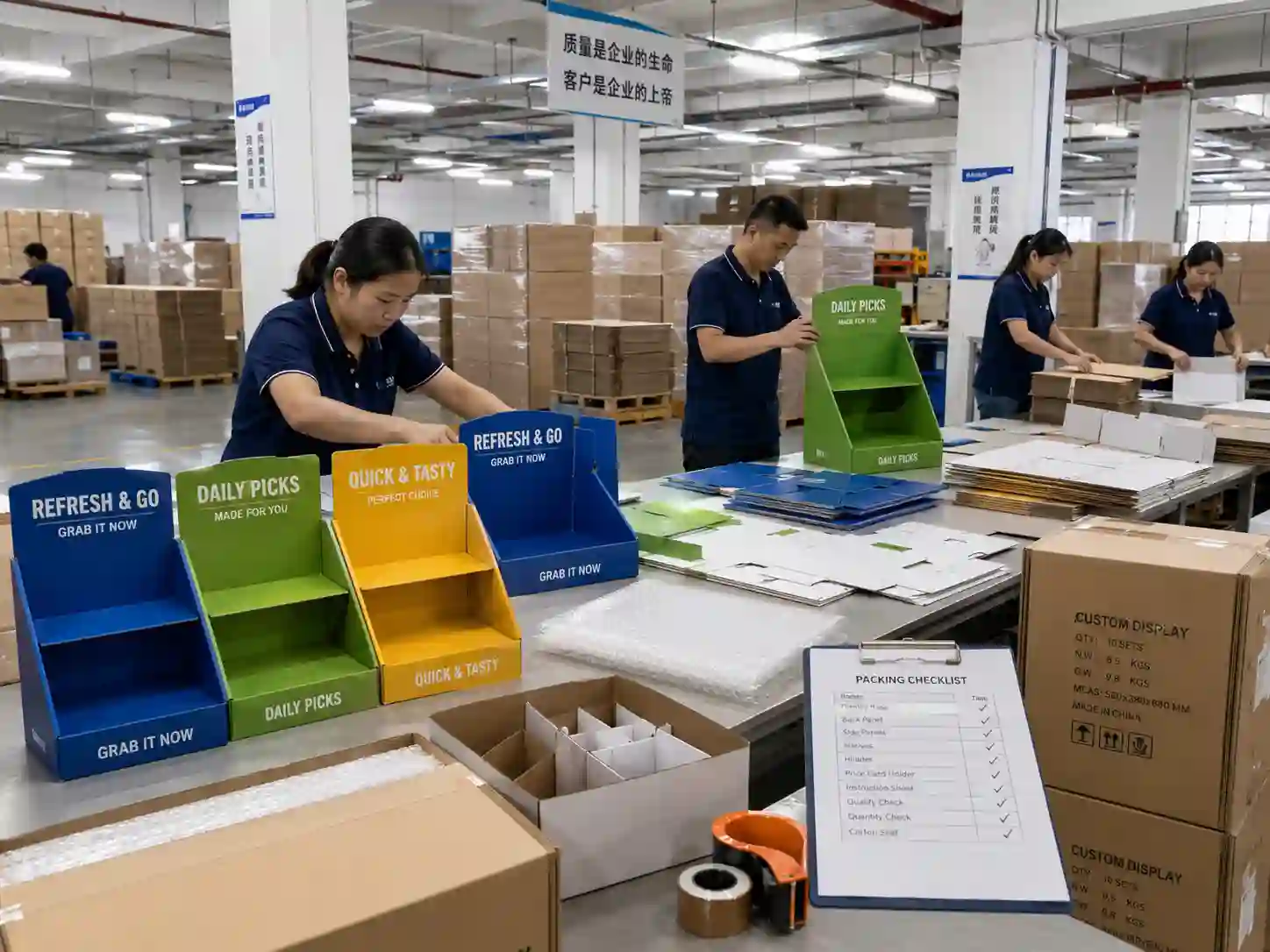
04 Color Proofing and Matching on the Factory Floor
Brand color accuracy is not a hope — it is a process. The factory controls color in four stages, and each stage produces a document the buyer can approve.
The Four-Stage Color Control Sequence
| Stage | What Happens | Document Produced |
|---|---|---|
| 1. Digital proof | The approved artwork is converted to a color-managed digital proof | Digital proof for buyer sign-off |
| 2. Press-side calibration | The print run is calibrated to the digital proof and the brand reference | First-off sheet / press proof |
| 3. In-line color checking | Color is sampled during the run against the approved standard | Density readings, delta-E checks |
| 4. Final verification | Finished panels are compared to the brand reference under standard light | Color approval record |
What the Factory Checks in Color
| Check | Standard |
|---|---|
| CMYK build matches the approved digital proof | Delta-E within brand tolerance |
| Spot colors (Pantone) hit the brand reference | Pantone book comparison under D50 light |
| Ink density is even across large color areas | Density readings across the panel |
| Color does not shift between print stations | Registration and density checks every N sheets |
| Proof and production match under store lighting | D50 or D65 light source comparison |
For the artwork file preparation side — bleeds, resolution, dielines, and file formats — see our display artwork and print file specs guide. A clean artwork file is the precondition for color accuracy; a factory cannot color-correct a file that was built wrong.
05 GS1-128 Pallet Label: The Label Costco Scans at the Dock
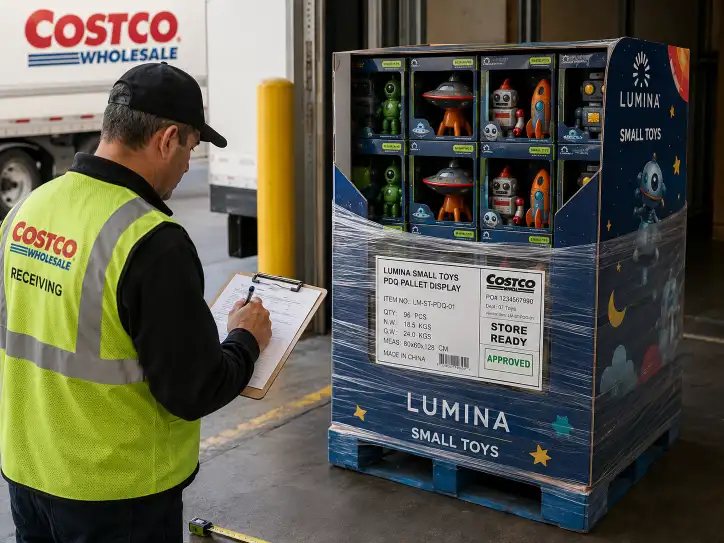
The GS1-128 pallet label is the single most commonly rejected graphics element on a Costco display. It is the label the warehouse scans when the unit arrives, and a wrong label stops the display at the dock. Understanding the format is the factory's first labeling responsibility.
What the GS1-128 Pallet Label Must Contain
| Data Field | What It Is | Why It Matters |
|---|---|---|
| SSCC-18 | The 18-digit serial shipping container code | The unique identifier of this specific pallet |
| GS1-128 barcode | The barcode encoding the SSCC-18 and other data | Scanned at receiving, routing, and inventory |
| Item description | Product name and item number | Identifies the contents for handlers |
| Quantity | Units on the pallet | Required for receiving and inventory counts |
| Ship-to / ship-from | Costco DC address and supplier location | Routes the unit correctly |
| PO / UCC number | Purchase order or UCC-128 reference | Links the pallet to the order |
GS1-128 Label Rules That Prevent Dock Rejection
| Rule | Detail |
|---|---|
| Placement | On the side that is scannable without moving the pallet — typically the side facing the forklift driver |
| Height | Label positioned at dock-scan height (usually 30–36 inches from the floor) |
| Print quality | Barcode must be clean, unbroken, and high-contrast — no smearing, no creases over the barcode |
| Data structure | SSCC-18 must follow the GS1 data format exactly; a misbuilt SSCC is a rejected pallet |
| No damage | Label placed where stretch wrap and corner boards do not cover or tear it |
| Multiple labels | On a display, the pallet label is separate from the product UPC labels — each has its own place |
Label vs. Product Barcode
| Label | Scanned Where | Encodes |
|---|---|---|
| GS1-128 pallet label | Costco receiving dock | SSCC-18, item, quantity, routing data |
| UPC on product | Costco register | The product's retail identification |
Both must be present and correct. The GS1-128 label gets the pallet into the building; the UPC on each product gets the item sold. A display factory that pre-fills product must confirm both — the pallet label it applies, and the product UPC the brand's packaging provides.
06 Header, Branding, and the Display Face
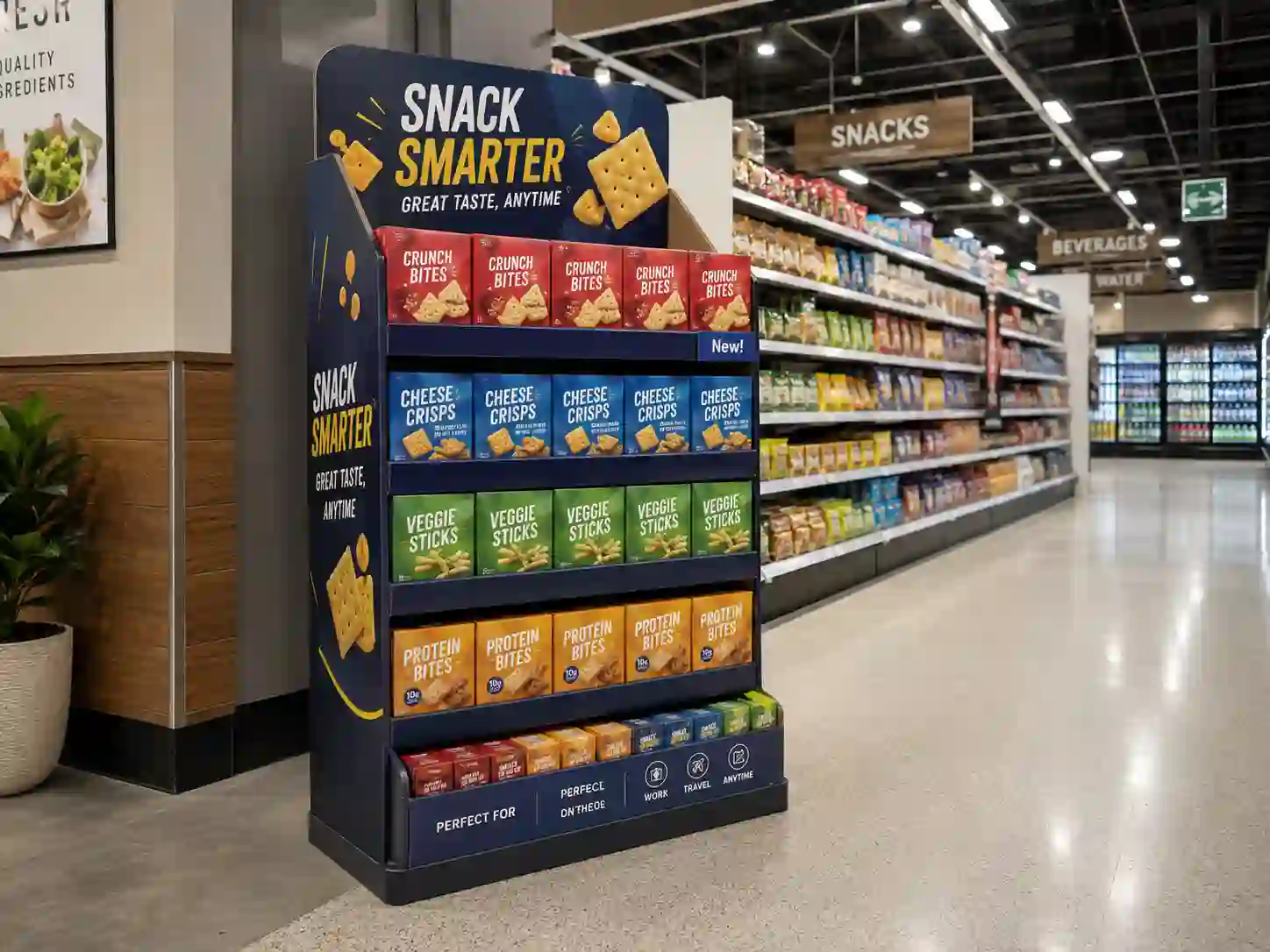
The header is the part of the display shoppers see from across the warehouse aisle. On a Costco display, the header carries more of the selling job than on any other format, because the display often sits in a wide aisle with the product box facing only one way.
Header Design Priorities for Costco
| Priority | Why |
|---|---|
| Brand block visible at distance | Shoppers scan the aisle before they reach the display — the brand must be legible at 20+ feet |
| Product image matches the box | Recognition happens when the display matches what the shopper saw on the shelf or in the flyer |
| Value / pack message clear | "8-Pack," "2-Pack," "Bonus" messaging drives the impulse buy in club format |
| No conflicting graphics | The header must not carry retailer or competitor claims that were not approved |
Where Graphics Sit on a Pallet Display
| Zone | Graphics Role |
|---|---|
| Header / top cap | Brand statement, product name, hero image, promotional message |
| Side panels | Product facings, secondary selling points, brand color continuity |
| Pallet skirt / base | Brand color band, logo repetition, sometimes program messaging |
| Channel / price zone | Where the retailer places the price sign — keep this area clean |
| Label zone | Reserved area for GS1-128 and handling labels — do not print over it |
The graphics plan is laid out at the same time as the structure — the header needs structural support, and the label zone needs a flat, uncreased panel. For how the structure and the graphics come together in the engineering plan, see our Costco display structural engineering guide.
07 How Graphics Affect Costco Approval and Chargebacks
Graphics errors are a chargeback category of their own. The receiving dock, the register, and the sales floor all generate compliance findings that trace back to the graphics package.
Graphics-Related Chargeback Triggers
| Trigger | Where It Is Caught | Result |
|---|---|---|
| GS1-128 label wrong format or placement | Receiving dock scan | Rejected pallet, restocking fee |
| Barcode unreadable (smear, crease, wrap) | Receiving dock or warehouse scan | Rejected unit, handling charge |
| Product UPC missing or wrong | Register scan at checkout | Markdown or removal, compliance fee |
| Display graphics do not match product | Sales floor review | Non-compliant display, removal |
| Brand color far off standard | Buyer / brand review | Rejection before production |
The Graphics Approval Package
To prevent these, the factory submits a graphics approval package with the sample:
- Digital proof — approved artwork rendered to the print standard
- Printed sample — full-color sample with the actual display graphics
- Label mockup — GS1-128 label in final format and position
- Color reference — proof that brand colors were matched to the brand standard
- Scan test — confirmation that the GS1-128 barcode scans cleanly
A factory that sends this package with the sample shortens the approval cycle and eliminates the graphics surprises that produce chargebacks. For the chargeback categories and how to avoid them, see our Costco display chargebacks guide. For how the graphics approval fits into the overall program, see our Costco display approval process guide.
08 The Graphics Review Checklist
Before a Costco display goes into mass production, run this graphics review. It confirms the display will sell, scan, and pass the dock.
| Check | Status |
|---|---|
| Product name and claims match the approved packaging exactly | ☐ |
| Brand colors approved against the brand reference under standard light | ☐ |
| Print method selected for the graphics requirement (litho-lam, pre-print, flexo, digital UV) | ☐ |
| Digital proof and printed sample approved by the buyer | ☐ |
| Header legible at distance with the brand block prominent | ☐ |
| Display graphics match the product packaging design | ☐ |
| GS1-128 label format, data structure, and placement confirmed | ☐ |
| GS1-128 barcode scan tested clean | ☐ |
| Product UPC confirmed on every pre-filled unit | ☐ |
| Label zone kept clear of print and structural creases | ☐ |
| Graphics approval package assembled for the buyer | ☐ |
09 How the Factory Delivers Costco-Ready Graphics
Graphics on a Costco display are engineered like the structure — method by method, stage by stage:
- Match the packaging artwork — display graphics built to the approved product packaging, not a separate design
- Select the print method by requirement — litho-lam for photo quality, flexo for structural panels, digital UV for short runs
- Control the color in four stages — digital proof, press calibration, in-line checks, final verification
- Build the labels correctly — GS1-128 in the right format and position, product UPC confirmed
- Submit the graphics package — proof, sample, label mockup, color reference, and scan test together
This is how a factory proves it understands Costco display graphics requirements — not by printing colorfully, but by delivering graphics that sell the product, scan at the dock, and survive the buyer's color review. For the full range of display formats Leader Display develops for club stores, visit our Costco display product page.
FAQ
Q: What are the graphics requirements for a Costco display?
A: Costco programs expect the display graphics to match the approved product packaging — correct product name, brand identity, imagery, and claims — plus a scannable GS1-128 pallet label in the correct format and position, and correct UPC data on every product unit.
Q: What print method gives the most accurate brand color on a display?
A: Litho-lam gives the highest color accuracy and fine detail because the graphics are offset-printed and laminated to the board. Digital UV is used for short runs and variable brand versions. Direct flexo is lower cost but limited in color detail on large areas.
Q: What is a GS1-128 pallet label and why does Costco require it?
A: The GS1-128 pallet label is the barcode label Costco scans at the receiving dock. It encodes the SSCC-18 serial number, item description, quantity, and routing data. It must be placed on the scannable side at dock height and print cleanly — a wrong or unreadable label rejects the pallet.
Q: Why do Costco display graphics need to match the product packaging?
A: Costco's no-touch supply chain means no store associate relabels or re-merchandises the display. The graphics on the display are the product presentation — if they do not match the packaging, shoppers do not recognize the product and the unit is non-compliant.
Q: How does the factory verify brand color accuracy?
A: Through a four-stage process: a digital proof for sign-off, press-side calibration against the brand reference, in-line density and delta-E checks during the run, and final verification under standard light. The result is documented for the buyer.
Q: Can a graphics error cause a chargeback?
A: Yes. Wrong GS1-128 label format or placement, an unreadable barcode, a missing product UPC, or display graphics that do not match the product can all trigger receiving, register, or sales-floor compliance findings.
Q: What should the factory submit for graphics approval?
A: A graphics approval package: the digital proof, a printed sample, a GS1-128 label mockup in final format and position, the color reference, and a scan test confirming the barcode reads cleanly.
Q: Is the header the most important graphics element?
A: The header is the primary selling element because it is what shoppers see across the warehouse aisle. But the full package — header, side panels, label zone, product UPC — must all be correct for the display to pass.