Crowded shelves make your product invisible. You're losing sales to competitors who stand out. How do you grab attention without a huge budget and complicated setup for retailers?
A custom PDQ (Pretty Darn Quick) display is a pre-packaged, shelf-ready unit that showcases your products effectively. It cuts setup time and places your items directly in high-traffic zones, boosting visibility and encouraging impulse purchases to drive sales.
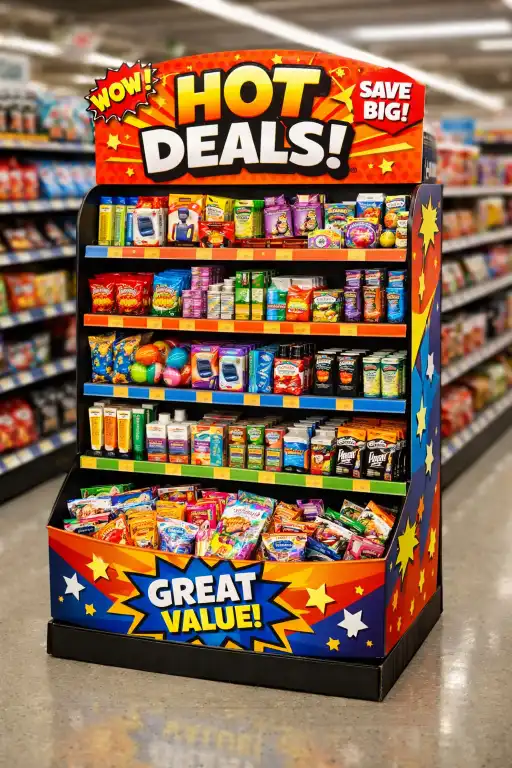
I've seen these simple cardboard boxes transform a product's launch from average to amazing. They look simple, but there's a lot of thought that goes into making them effective sales tools. But what's the real story behind their name and why are they so effective? Let’s break it down and look at how you can use them for your own products.
What exactly makes a display "Pretty Darn Quick"?
Your sales team spends hours setting up displays. Retailers get frustrated with complex kits. This wasted time costs money and can strain your relationship with important store partners.
Its "PDQ" name comes from being shipped pre-filled with products. Retail staff simply tear off a perforated cover and place the entire unit on the shelf or counter. This eliminates assembly, reduces stocking time to seconds, and ensures consistent presentation every time.
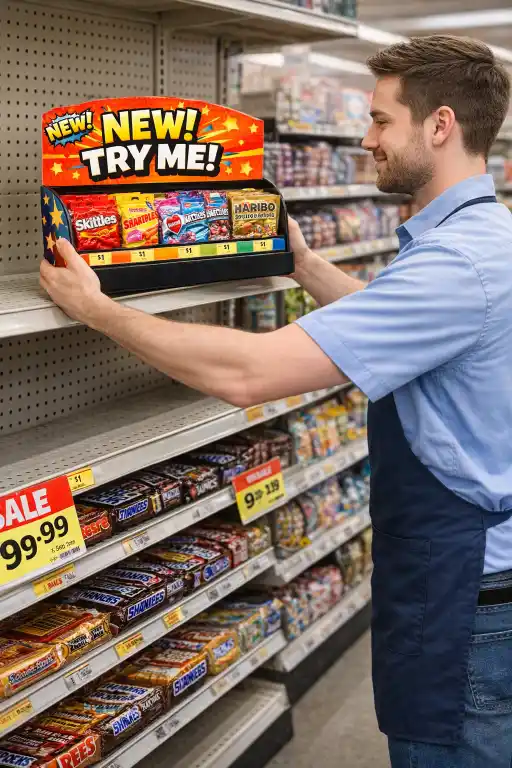
The name really says it all. In my 16 years in this business, the biggest challenge for brands is often not just getting into stores, but making it easy for stores to sell their product. A PDQ display is designed for extreme efficiency, which is why retailers love them. I remember working with a client launching a new snack bar. They were worried about getting good placement. We designed a simple, sturdy PDQ that was so easy to handle, the store manager put them in three different high-traffic locations instead of just one. That simple efficiency tripled their initial exposure.
The Retailer's Perspective
For a store manager, time is money. Labor is one of their biggest costs. A display that takes 30 minutes to assemble and stock is a hassle. A PDQ display arrives ready to go. The process is simple: open the shipping box, pull out the display, tear off the cover, and place it. This speed reduces labor costs, clears out backroom clutter, and gets your product in front of customers faster.
The Brand's Perspective
For you, the brand, the benefits are about control and consistency. Because the unit is pre-packed at your facility, you know every display looks exactly as you intended. There's no risk of a store employee setting it up incorrectly. This also means your products are better protected during shipping, arriving in a stable, secure unit instead of rattling around in a large box.
| Task | Traditional Display Setup | PDQ Display Setup |
|---|---|---|
| Unboxing Parts | 5-10 minutes | < 1 minute |
| Assembly | 10-20 minutes | 0 minutes |
| Stocking Product | 5-15 minutes | 0 minutes (pre-stocked) |
| Total Time | 20-45 minutes | < 1 minute |
How do different types of PDQ displays impact customer buying behavior?
Your product is great, but is it in the right place? Placing it wrong means shoppers walk right by, completely missing their chance to see and buy it.
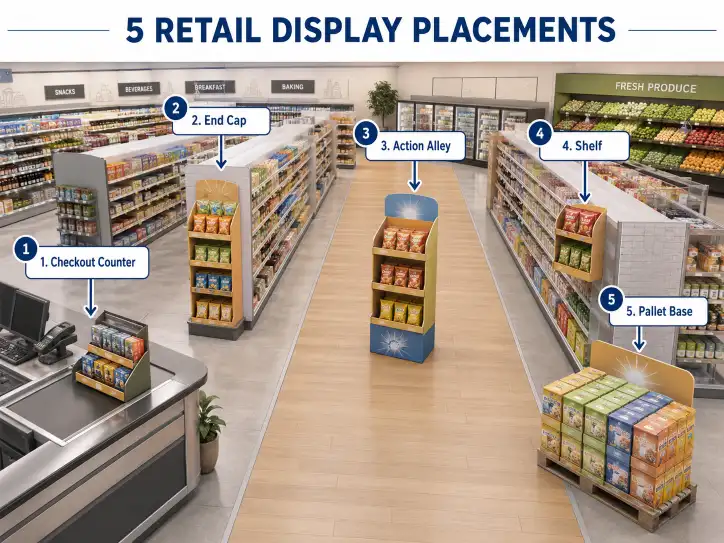
Different PDQ types target specific behaviors. Counter displays trigger last-minute impulse buys at checkout. Shelf displays disrupt the main aisle, grabbing attention. Sidekick displays attach to endcaps, creating cross-selling opportunities with related products. Choosing the right one is key.
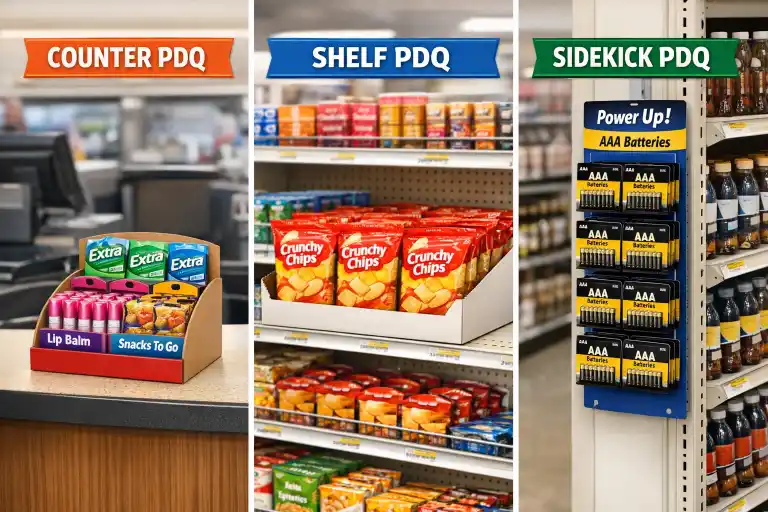
The location and style of your display directly influence how a customer interacts with your product. You can't just create one design and hope for the best. You need to match the display type to the sales goal. Over the years, I've helped clients pinpoint exactly what they need based on their product and their target customer's shopping habits. It’s a fascinating mix of design, engineering, and a little bit of psychology.
The Impulse Buy Champion: Counter Displays
Think about the checkout line. Customers are waiting, often looking for a small treat or something they forgot. This is the perfect zone for a counter top display. They are small, eye-catching, and present an easy "yes" for a customer. I worked with a cosmetics brand on a new lip gloss. We created a tiny, vibrant PDQ for the checkout counter. Sales from those checkout displays were 200% higher than sales from the main cosmetics aisle.
The Aisle Interrupter: Shelf Displays
This is the most common type of PDQ. It sits directly on the retail shelf and is designed to stand out from the sea of standard packaging around it. Its bright graphics and unique shape break the visual monotony, drawing a customer's eye. This is ideal for new product launches, special promotions, or any time you need to scream, "Look at me!" in a crowded aisle.
The Strategic Partner: Sidekick Displays
Also known as Power Wings, these displays hang off the side of endcaps or main shelving units. Their power is in cross-merchandising. I once helped a client who sold gourmet salsa. We designed a sidekick display that retailers could hang right in the tortilla chip aisle. The logic is simple: if someone is buying chips, they might want salsa. It puts your product in the right place at the exact moment the customer needs it.
| Display Type | Best Location | Target Behavior | Example Products |
|---|---|---|---|
| Counter Display | Checkout Counter | Impulse Purchase | Gum, Lip Balm, Small Gadgets |
| Shelf Display | Main Aisle Shelves | Brand Awareness, Promotion | Cereal, Sauce, Packaged Snacks |
| Sidekick Display | Endcaps, Side of Shelves | Cross-Selling | Batteries, Salad Dressing, Dips |
What design mistakes can ruin your PDQ display's effectiveness?
You've invested in a beautiful display. But it arrives at the store damaged, the graphics are confusing, or it just doesn't fit the shelf. That investment is now a liability.
The biggest mistakes are weak structural design that can't support the product, overly cluttered graphics that confuse customers, and ignoring retailer guidelines for size and safety. A great-looking but non-functional display is a complete waste of money and opportunity.
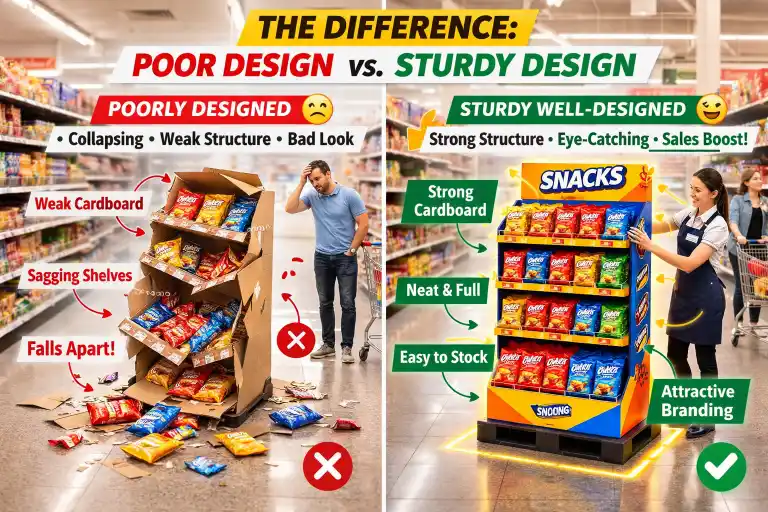
A display failure is one of the worst things that can happen to a product launch. It looks bad for your brand and can get you delisted by a retailer. I’ve seen it happen, and it’s why I’m so passionate about getting the design right from the very beginning. It's not just about pretty pictures; it's about solid engineering and understanding the tough environment of a retail store.
Structural Integrity is Non-Negotiable
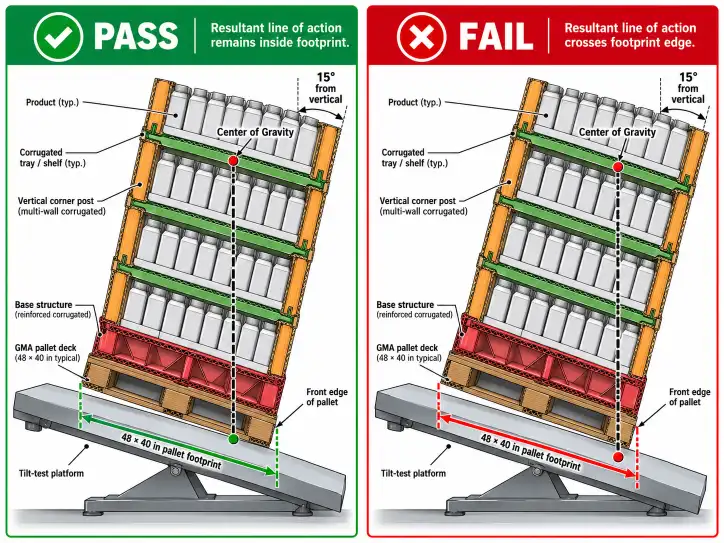
The display has one primary job: to hold and present your product safely. You have to consider the product's weight, the stress of shipping, and the wear-and-tear of a busy store. I once saw a competitor's display for heavy soup cans collapse overnight. It was a huge mess, the retailer was furious, and they pulled the product. This is why material choice (like the right grade of corrugated cardboard) and smart structural design are critical. At Lddisplay, we always build and test physical prototypes to ensure they can handle the real world.
"Less is More" in Graphic Design
A shopper makes a decision in seconds. Your display's graphics need to communicate everything instantly. I call it the "3-second rule." In three seconds, a customer should understand the brand, the product, and the main benefit. Cluttered designs with too many words, clashing colors, or tiny fonts fail this test. The graphics on a custom cardboard display should make the product the hero. The display is the stage, not the main actor. Keep it clean, bold, and focused.
Know the Retailer's Rulebook
Major retailers like Walmart, Target, or Costco have very strict requirements for in-store displays. They publish detailed "style guides" that dictate everything from dimensions and materials to safety features. If you design a display that doesn't follow these rules, it will be rejected. It might never even make it out of the backroom. The first step in any project I work on is to ask the client which retailer they are selling to and to get a copy of their latest guidelines. It's a simple step that prevents huge headaches later.
Conclusion
A well-executed PDQ display is more than just a box. It's a powerful sales tool that saves retailers time, grabs customer attention, and boosts your bottom line.