Many B2B buyers use "POS display" and "POP display" as if they mean the same thing. In practice, retailers and manufacturers use these terms differently, and confusing them can lead to ordering the wrong display for a campaign.
This article explains the difference between POS and POP displays from a factory sourcing perspective. Instead of focusing on marketing theory, it helps buyers understand how each display type is specified, quoted, and manufactured.
POS Display vs POP Display: What Is the Difference?
The short answer: A POP display promotes a product anywhere in the store. A POS display is placed specifically at the checkout or point of sale. All POS displays are POP displays, but not all POP displays are POS displays.
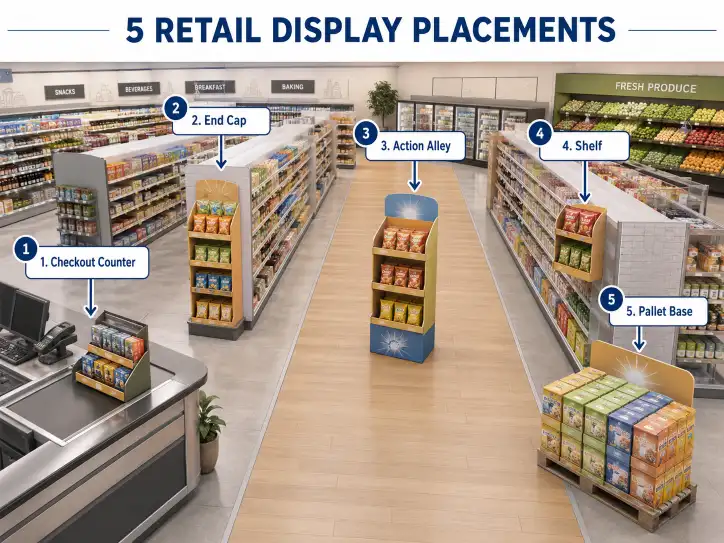
From a factory standpoint, the structural difference is often about size and placement. A POP display might be a large floor unit in the center aisle, while a POS display is usually a compact countertop unit designed for the checkout area.
For manufacturers, the key variables are the same: material grade, structure type, print finish, and quantity. But the design brief will differ based on where the display sits in the store.
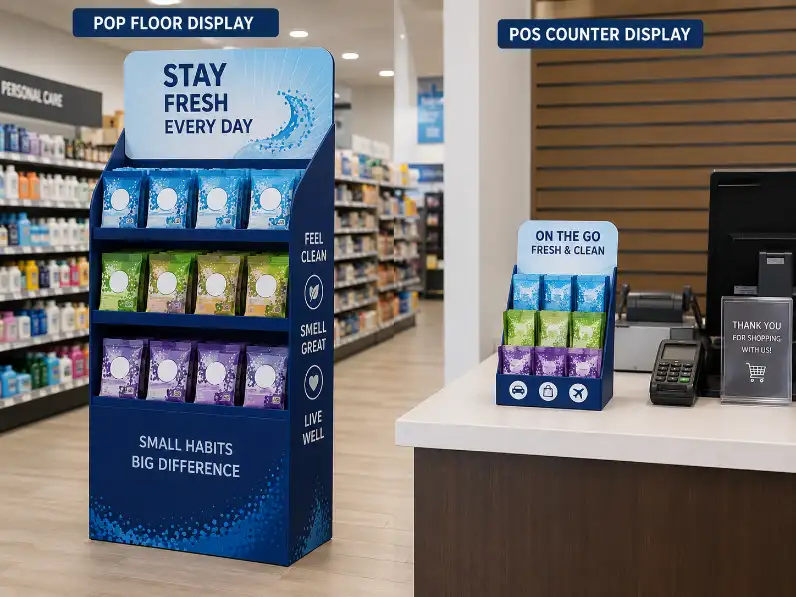
Quick Comparison Table
| Feature | POP Display | POS Display |
|---|---|---|
| Store Location | Anywhere in the store | Checkout counter or register area |
| Primary Goal | Brand awareness, product visibility | Impulse purchase, last-minute add-on |
| Typical Size | Floor, pallet, or counter | Countertop or small rack |
| Product Examples | Snacks, beverages, seasonal items | Gum, batteries, small accessories |
| Impulse Purchase | Medium | High |
| Footprint | Larger (floor space) | Small (counter space) |
| Common Structure | Floor display, pallet display, sidekick | Counter display, small dump bin, peg display |
What Is a POP Display?
POP stands for Point of Purchase. It is any display placed inside a retail store to promote a specific product or brand. The goal is to catch the shopper's attention and influence their buying decision before they reach the checkout.
Common Types of POP Displays
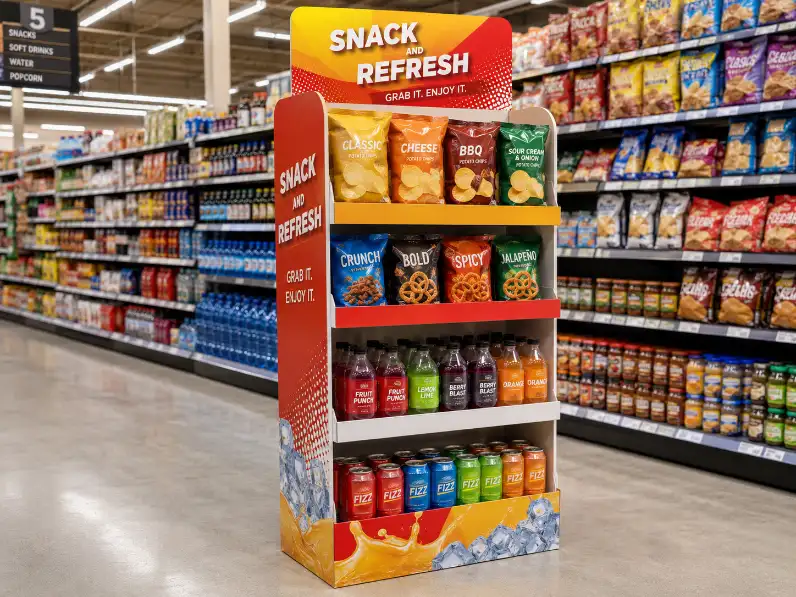
- Floor Display — A freestanding unit placed in aisles or high-traffic areas. Used for snacks, beverages, and seasonal promotions.
- Pallet Display — A large display built on a pallet base, common in warehouse clubs and supermarkets.
- Sidekick Display — A small display that hangs on the side of shelves. Used for impulse items.
- Counter Display — A compact display placed on counters. Often used for cosmetics, small electronics, or trial sizes.
- Dump Bin — A bin-style display where products are loosely stacked. Common for promotional items and bulk sales.
POP displays are designed to maximize visibility. They use bold graphics, branded messaging, and structural design to compete for shopper attention in a crowded store.
For B2B buyers, a POP display typically requires:
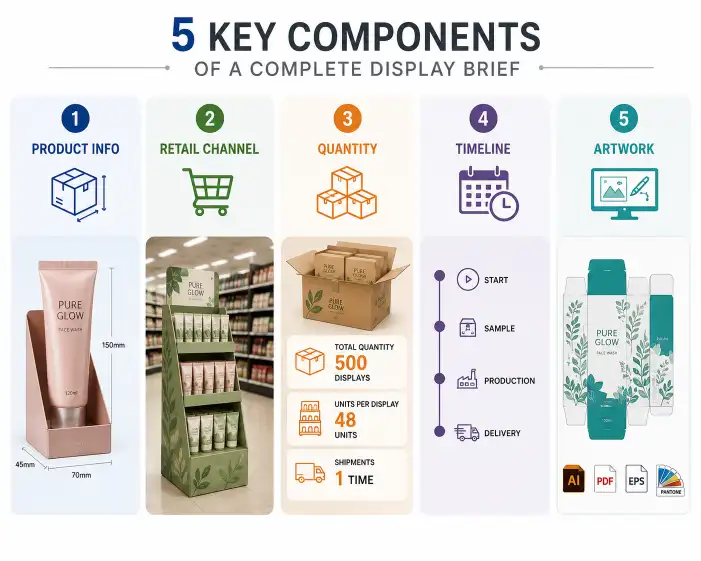
- A clear brief on product dimensions and weight
- Expected display location (aisle, endcap, or floor)
- Quantity per display unit
- Brand artwork and print specifications
If you are sourcing a POP display, you should first review our cardboard display product range to understand the available structures.
What Is a POS Display?
POS stands for Point of Sale. This term specifically refers to the checkout area where customers pay. A POS display is any display unit placed at or near the register.
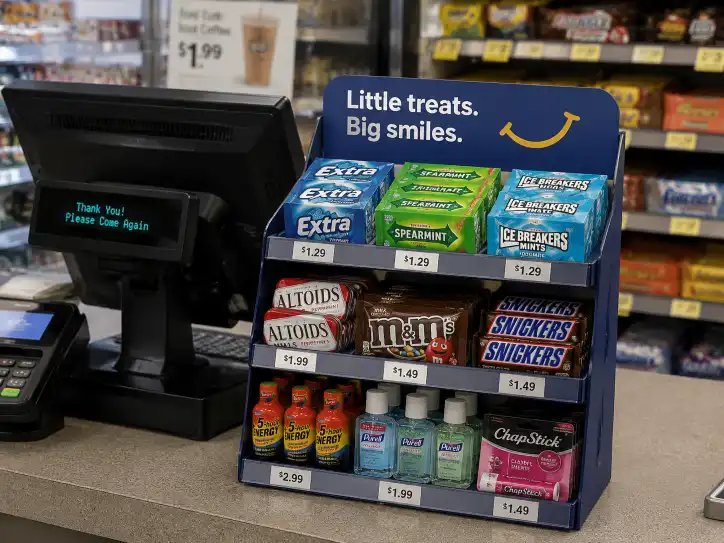
The purpose of a POS display is different from a general POP display. It targets shoppers who have already decided to make a purchase but may add one more item at the last second. This is why POS displays are common for small, low-cost, high-margin products like gum, batteries, lip balm, and phone accessories.
Key Characteristics of POS Displays
- Compact size — Must fit on a countertop or small shelf near the register
- High impulse conversion — Products sell based on visibility and convenience, not brand education
- Lower unit quantity — Usually holds fewer items than a floor display
- Quick restocking — Store staff need to refill them frequently
Common Types of POS Displays
- Counter Display — Small boxes or trays that sit on the checkout counter
- Peg Display — A small board with hooks for hanging products
- Small Dump Bin — A compact bin placed near the register
- Checkout Rack — A multi-tier rack for small impulse items
For B2B buyers, a POS display usually requires:
- Very compact dimensions (typically under 30 cm wide and 25 cm deep)
- Lightweight structure for easy counter placement
- Clear front-facing product visibility
- Quick assembly (store staff should set it up in under 30 seconds)
For compact display options, our counter display range is a good starting point for POS applications.
POP vs POS: How the Manufacturing Process Differs
From a factory perspective, the manufacturing process for POP and POS displays is similar, but three factors change:
1. Material Grade
| Factor | POP Display | POS Display |
|---|---|---|
| Board Thickness | Typically E-flute or B-flute corrugated | E-flute or sturdy paperboard (1400–1700 gsm) |
| Structural Strength | Higher strength needed for floor units | Moderate strength, but must be stable on counter |
| Print Quality | 4-color CMYK, sometimes with spot colors | 4-color CMYK, often with UV or aqueous coating |
2. Structure and Assembly
POP floor displays often require multi-piece structures with interlocking components. POS displays are simpler — usually a single-piece foldable design that can be set up in seconds.
3. Packaging and Shipping
POP displays are typically shipped flat in bundles and assembled at the store. POS displays may be shipped pre-assembled in smaller cartons. Shipping costs for POS displays are lower due to their compact size.
Comparison Table: Manufacturing Factors
| Factor | POP Display | POS Display |
|---|---|---|
| Material | B-flute or E-flute corrugated | E-flute or heavy paperboard |
| Structure | Multi-piece, sometimes requires glue | Single-piece foldable, no glue |
| Full CMYK, optional finishes | Full CMYK, coating required for durability | |
| Assembly | 2–5 minutes in store | Under 30 seconds |
| MOQ | 500–1,000 units | 1,000–3,000 units |
| Unit Cost | Higher (more material) | Lower (less material) |
| Shipping | Flat-packed, larger volumes | Small cartons, lighter weight |
How This Affects Your Buying Decision
When sourcing from a factory, using the correct term helps you get the right quote.
Use "POP display" when:
- You need a display for a specific product category
- The display will be placed in an aisle or on a shelf
- You need to build brand visibility over time
- Example: A floor display for a new snack product launch
Use "POS display" when:
- You need a display specifically for the checkout area
- The products are small and priced under $15
- You want to capture impulse purchases from customers already checking out
- Example: A counter display for phone chargers near the register
If in doubt, specify both the location and the product size to your factory. A good manufacturer will recommend the right structure.
For custom quotes, you can review our sampling process to understand how prototypes work for both POP and POS displays.
Buyer Checklist: POP vs POS
Use this checklist when briefing your factory:
| Check Item | POP Display | POS Display |
|---|---|---|
| Store location confirmed? | Aisle / Endcap / Floor | Checkout counter |
| Product weight per unit? | Under 3 kg typically | Under 300 g typically |
| Units per display? | 12–72 units | 6–24 units |
| Display height? | 60–180 cm | 15–40 cm |
| Display footprint? | 40×40 cm or larger | Under 30×25 cm |
| Assembly time target? | Under 5 minutes | Under 30 seconds |
| Print finish required? | Matte or gloss aqueous | Gloss aqueous or UV for durability |
Conclusion
The difference between POS and POP displays comes down to location and purpose. POP displays are for store-wide product promotion. POS displays are specifically for the checkout counter and impulse purchases.
For B2B buyers, the key is to communicate clearly with your factory about where the display will be used. This ensures you get the right structure, material, and print finish for your campaign.
If you are planning a new retail display project, review our cardboard display and counter display options, or contact us for a custom quote.
FAQ
Is a counter display a POS or POP display?
A counter display can be both. It is a POP display because it promotes a product. It is also a POS display if it is placed at the checkout counter. The term depends on the location, not the structure.
Are POS displays more expensive than POP displays?
No. POS displays are usually less expensive because they require less material. However, the unit cost depends on quantity, print complexity, and structural design.
Can the same display be used as both POP and POS?
Yes. Some small counter displays work in both locations. But a large floor display is only suitable as a POP display. Always confirm the intended location before manufacturing.
What is the minimum order quantity for POS displays?
POS displays often have a higher MOQ (1,000–3,000 units) compared to larger POP displays, because the unit price is lower and factories need to meet production minimums. For small quantities, consider stock options.
Does a POS display need different artwork than a POP display?
Not necessarily. Both use the same CMYK print process. But POS displays benefit from simpler, clearer messaging since shoppers have only seconds to decide. Large blocks of text do not work well at the checkout counter.